
100% inspection · labels to wide web
OK-4000 for labels and narrow web up to 600 mm, OK-6000 for wide-web flexo, gravure and coating. Every repeat compared at 0.15 mm and 450 m/min, with a defect record and a 24V signal to the line.
01
What it is
A viewer shows you the print. This judges it: every repeat is compared to a reference, the defect is placed on a map, and the line gets a 24V signal to mark or reject.
Encoded line-scan on the full web, not a spot check by eye.
Position and type recorded, so a customer report can be printed from it.
24V output to an alarm lamp, a marker or reject hardware.
Two builds share the platform: OK-4000 for labels and narrow web, OK-6000 for wide-web flexo, gravure and coating, where it adds AI classification. If you only need to see the print rather than judge it, the viewing routes are linked at the end.
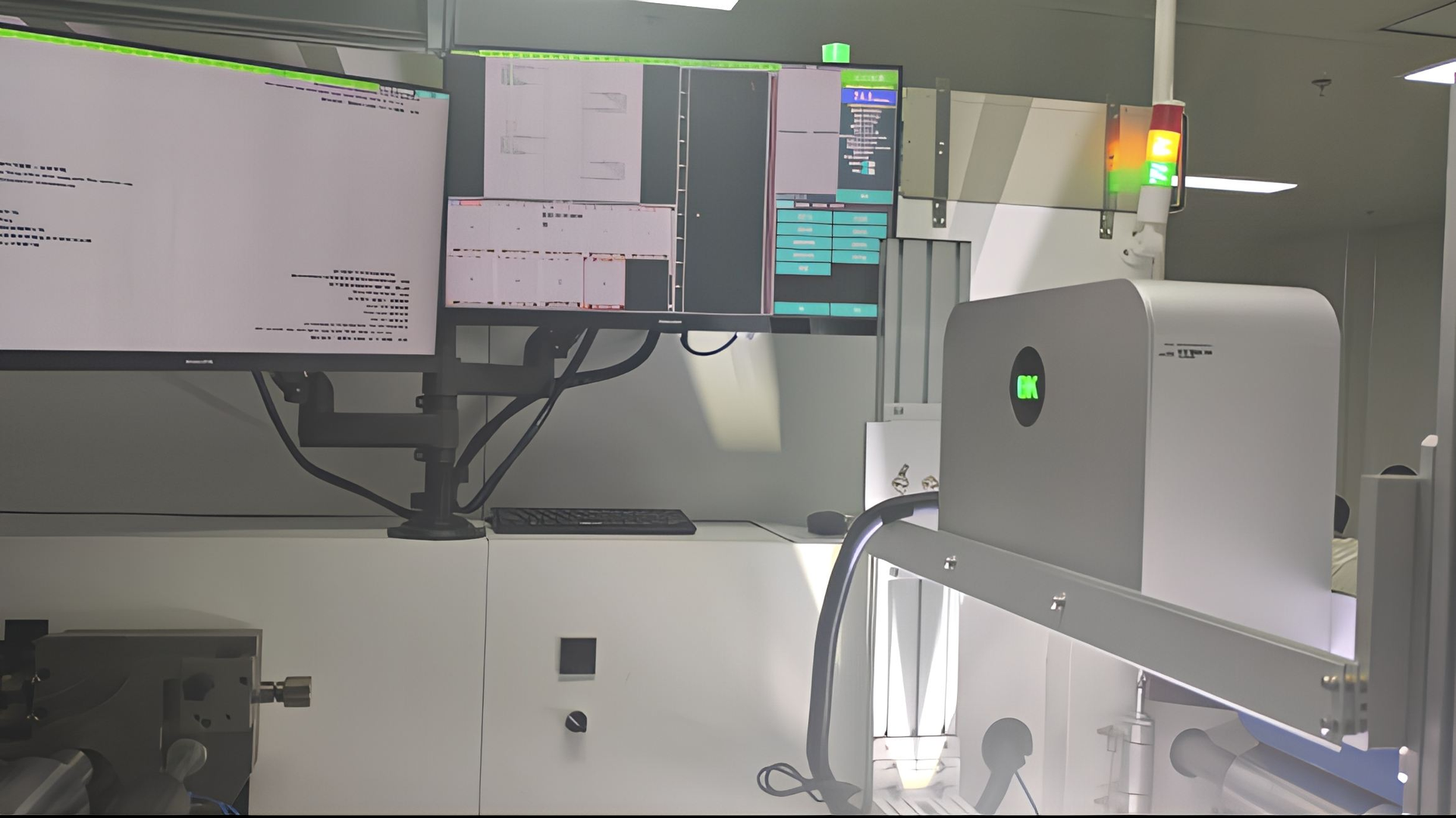
02
Model
One platform, two builds. The width you actually run decides the camera and the lighting bar, so it decides the model.
10–600 mm offline, wider inline depending on configuration. 4K line-scan, dome light, contour lighting for clear labels.
Standard build10–1300 mm in quotation, 700–1900 mm in the catalogue. 8K line-scan, modular lighting, AI defect classification.
Project buildWhat actually decides it
03
Specifications
Published figures are reference values. Your width, speed and defect readability are confirmed with your press and a sample.
| Parameter | OK-4000 | OK-6000 | What changes it |
|---|---|---|---|
| Detection width | 10–600 mm offline; wider inline | 10–1300 mm quotation; 700–1900 mm catalogue | Width you commit to |
| Resolution | 0.15 mm lateral and vertical (min vertical 0.05 mm) | 0.15 mm, min vertical 0.05 mm | Width and defect size |
| Line speed | 450 m/min at 0.15 mm | 450 m/min in quotation; catalogue also lists 800 | Confirm at your width |
| Camera | 4K line-scan CMOS, 8K optional | 8K line-scan | Width and colour judgement |
| Defect criteria | Dot >0.2 mm²; knife line >0.1 × 5 mm | Sub-pixel knife line; AI classification | Your written standard |
| Registration | Lateral >0.15 mm; longitudinal >0.25 mm | Compared across the full web | Web path and sync |
| Lighting | Dome; contour for clear labels | Modular: front, large dome, back | Material and defect type |
| Classification | Rule-based, taught on good product | AI deep learning, trained on your samples | Training samples |
| Output | 24V defect signal, alarm lamp | 24V signal, alarm, optional reject and database | Where the signal goes |
| Offline variant | Inspection on a quality rewinder | Rewinding inspection with auto rejection | Line integration |
04
Coverage
The operator sets the quality standard; the system applies it to every repeat and shows what it flagged.
Dots above 0.2 mm²; knife lines from 0.1 × 5 mm at sub-pixel level.
Lateral drift above 0.15 mm, longitudinal above 0.25 mm, across the web.
Gaps, matrix faults and missing labels flagged with position.
Readability and variable-data checks, as an option on the same head.
What we ask you to send, so each row means something
05
Defects
Six classes the camera flags on labels and web, with examples from a live sheet. The red box marks where the system put the defect.






06
Machine in operation
Two short films: the wide-web build, and what a 100% inspection run looks like on a moving web.


Want to see your own material? Send a print and we film it running on the machine within three working days.
07
Limits
Said plainly, because these are the four places a project usually goes wrong.
It inspects the whole web; it is not a guarantee that every possible defect is caught.
It does not replace print approval or colour management.
The system applies that decision consistently —so write the acceptance criteria before the trial.
Clear film, metallic ink and low-contrast stock are confirmed on a sample, not from a datasheet.
08
Line and installation
Both routes use the same head and software. The choice is about where the web path is clean and who acts on the signal.
Offline station
Inline on the press
Four steps from delivery to a working standard
Head over the web, working distance and light confirmed on your material.
Encoder or press pulse; one element per step of web.
Built from a run of good product, then the defect classes you reject.
Marked defects through the line, confirming the 24V signal reaches the reject device.
09
Evidence
Reference images show the machine. Only your roll shows your print.
Shows resolution, width, speed and defect criteria. Does not show your final configuration.
Shows camera, lighting and IPC arrangement. Does not show your tooling or options.
Shows whether your defect is detected at 0.15 mm and 450 m/min. Not a guarantee of zero escapes.
Acceptance test —what we run
10
Delivery
Four things are confirmed with the order, in writing. Start with a sample if you want to see the result before deciding.
7–45 days on the confirmed configuration. We give the date with the order and tell you if the width or lighting moves it.
We pack for export and quote express or sea freight to your address; duty and taxes are on the buyer’s side.
2-year machine warranty for non-human damage, lifetime technical support. Spare parts are a separate item —the list ships with the machine.
Remote guidance as standard. An engineer can be arranged; travel, accommodation and the service fee sit on the buyer’s side.
11
Questions
The questions that decide a configuration, answered without the sales layer.
Under 600 mm of web you are in OK-4000 territory; wider flexo, gravure or coating is OK-6000. The deciding figures are width, the smallest defect and whether the inspection is offline or inline.
0.15 mm lateral and vertical at 450 m/min on both builds, confirmed against your width and defect size on a sample.
Dot defects above 0.2 mm² and knife lines above 0.1 × 5 mm are the published criteria. Send the smallest defect you actually reject so the trial is measured against your standard.
It provides a 24V defect signal. Rejection hardware is configured with the line —a marker, a stop, or a rewinder that ejects the label.
Offline gives a clean web path and is easier to validate before the press is touched. Inline catches defects while running and can reject at the press.
Yes, with contour lighting. The edge is drawn by the light geometry, so confirm it on your clear label and its backing.
On OK-6000, defect types are grouped automatically, so review is by exception. The model is trained on your samples; a new defect type has to be taught.
The head, camera and lens, IPC, lighting, encoder, alarm and display in the reference set. Freight, duty, installation travel and rejection hardware are separate.
Yes, if the web path, mounting space and interface allow. Send the web width, line speed and a photo of the mounting area.
2-year machine warranty for non-human damage plus lifetime technical support; standard builds are quoted at 7–45 days depending on scope.
12
Routes
Inspection is one of four ways to look at print. The others are cheaper when the job is only to see.
| If the job is | Route | What it gives you |
|---|---|---|
| Judge and record every repeat | This page —OK-4000 / OK-6000 | Defect map, record per roll, 24V signal |
| Watch the print on screen while running | Web monitoring —Observer, OR-B/C, Overseer | A frozen, zoomed image; the operator judges |
| See the whole repeat in one frame | Full-frame —OR-D | One image across 100–2000 mm |
| Check a mark or registration crosshair | Print mark —Scout 3 / OR-A | A fixed or rail-mounted view of one point |
One line: if a customer report or a reject decision depends on the result, it is this page. If a person looks and decides, it is a viewer.
13
Related
Guides, machine pages and FAQs that answer the next question. Each opens in a new tab.
Next step
A photo of the print and the smallest defect you must catch is enough to confirm the model, the resolution and the lighting.
Send your product, material and target output. We reply with a configuration and an itemised quotation.
