
Print mark monitoring · entry
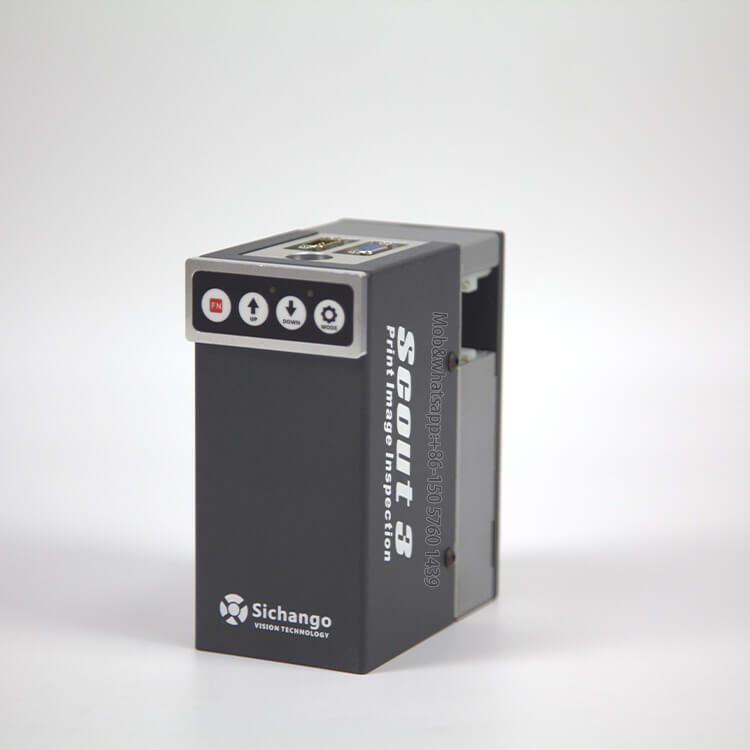
Scout 3 and OR-A freeze one point on the web so the operator can judge a register mark, a colour bar or a code at running speed. A viewer for a mark — not an inspection system.
01
What it is
The camera looks at a fixed area of the web. The operator freezes the image and judges the mark on screen — no stopping the press, no walking the web with a loupe.
The image is held on screen, so the mark can be read at running speed.
Set where your print history already flags trouble: a crosshair, a colour bar, a lane near the trim.
Camera, control box and screen run on their own.
Two ways to hold the camera: Scout 3 sits on a fixed rail at one position; OR-A adds a manual rail so the head can be moved across the web when the mark is not in the same place twice.
02
Models
Same job, two builds. The difference is how much of the web you need to reach, and how much magnification you need once you get there.
2 MP, 50 × 30 mm field, 2X magnification. One position, four keys, no external host. Screen is a local purchase.
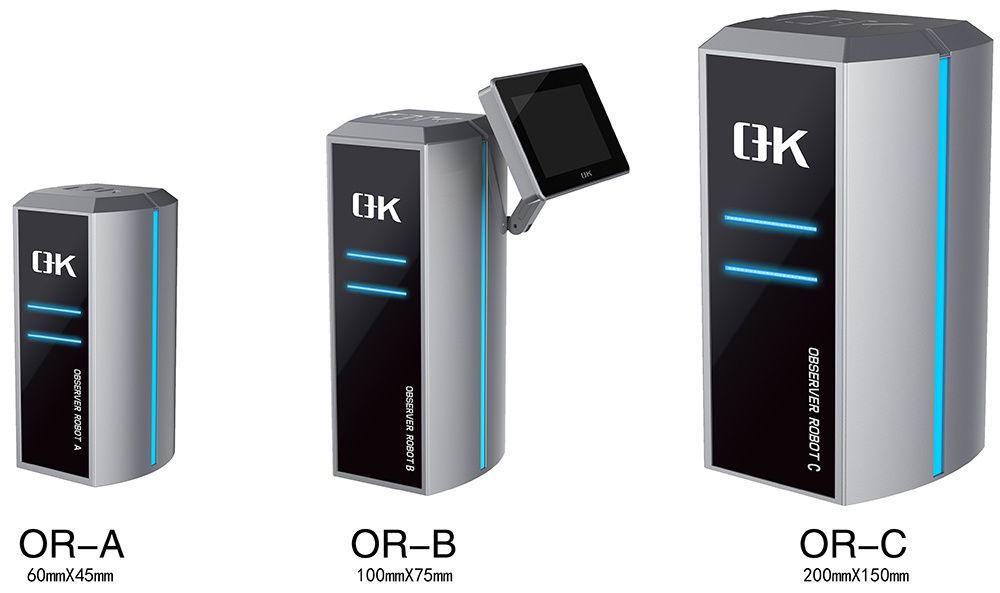
Entry · simplest5 MP, 55 × 31 mm usable field (60 × 45 camera native), 25X digital zoom. Rail 300–3000 mm to order, 24″ touchscreen included.
Entry+ · move to the mark| Parameter | Scout 3 | OR-A |
|---|---|---|
| Camera | 2 MP, 1600 × 900 | 5 MP area CMOS |
| Field of view | 50 × 30 mm | 55 × 31 mm usable (60 × 45 native) |
| Magnification | 2X | 25X digital |
| Rail | Fixed | Manual, 300–3000 mm to order |
| Screen | Not included — local monitor | 24″ HD touchscreen included |
| Speed reference | 400 m/min family figure, confirm per machine | Up to 1,200 m/min |
| Supply | Confirm per machine | AC220V, 0–50°C |
03
Coverage
A mark viewer answers one question well: does this mark look the way it should, right now.
Whether the mark sits where the job expects it, judged on a frozen frame.
A magnified view of the bar: density differences read on screen.
Zoom on the code and read it; OR-A’s 25X goes further than Scout 3’s 2X.
The operator sees it; the system does not alarm on its own.
Limits, said plainly
04
Scope
Both builds mount on the press frame or a stand over the web. Neither needs internet.
In the set
You supply
Four steps to a working view
Choose where the mark already lands; we confirm from a press photo.
Working distance and light set on your material.
Gear sensor as standard; encoder when the press needs it.
Zoom, brightness and split-screen saved for the job.
05
Questions
The six questions that decide which build you need.
Scout 3 is fixed at one point with 2X and a 2 MP camera. OR-A adds a manual rail, a 5 MP camera, 25X zoom and a 24-inch touchscreen.
On Scout 3 yes — any 24-inch HDMI monitor, bought locally. OR-A ships with its own touchscreen.
No. It shows the mark; the operator judges it. Automatic alarm, reject and records belong to the OK series.
Yes at the magnification you choose: 2X on Scout 3 reads a large mark or code; OR-A’s 25X is for fine text.
On Scout 3 the head is fixed, so the mark must pass the fixed point. OR-A moves on a manual rail up to 3 m.
2-year machine warranty for non-human damage with lifetime technical support; standard builds are quoted at 7–45 days.
06
Routes
If the job grows past one mark, the viewing and inspection routes are here.
| If the job is | Route | What you get |
|---|---|---|
| Watch one mark or crosshair | This page — Scout 3 / OR-A | A frozen, magnified point |
| Watch the print across the web | Web monitoring — Observer, OR-B/C, Overseer | Bigger window, or saved positions on patrol |
| See the whole repeat in one frame | Full-frame — OR-D | One image across 100–2000 mm |
| Judge and record every repeat | 100% inspection — OK-4000 / OK-6000 | Defect map, record per roll, 24V signal |
Next step
A photo of the print and the smallest defect you must catch is enough to confirm the model, the resolution and the lighting.
Send your product, material and target output. We reply with a configuration and an itemised quotation.
